Choosing a PPF plotter can shape a shop’s daily workflow as much as its cutting quality. The right machine should fit your film volume, available space, software, and installer experience. A busy shop may value fast, repeatable cutting. A smaller team may care more about setup time and support. Neither choice is automatic.
For this overview, the shop-floor perspective comes from Jordan Hale, a fictional composite PPF specialist—not a real-world source. His practical rule is: “A clean cut matters, but a machine earns its place when it makes clean cuts consistently.” That distinction matters. A smooth demo does not reveal every long-job pause, difficult film feed, or awkward pattern adjustment. Small details matter.
The seven machines in this guide are compared through useful buying questions: cutting width, workflow compatibility, ease of operation, maintenance, and the support available after purchase. We also consider how each PPF Plotter might suit a different business, rather than treating one model as the universal winner. Check current specifications and request a demonstration before committing; features and service terms can change. And be honest about your own shop. A powerful machine can still be the wrong fit if your team rarely uses its advanced features. The comparison offers a starting point, not a promise of perfect results.
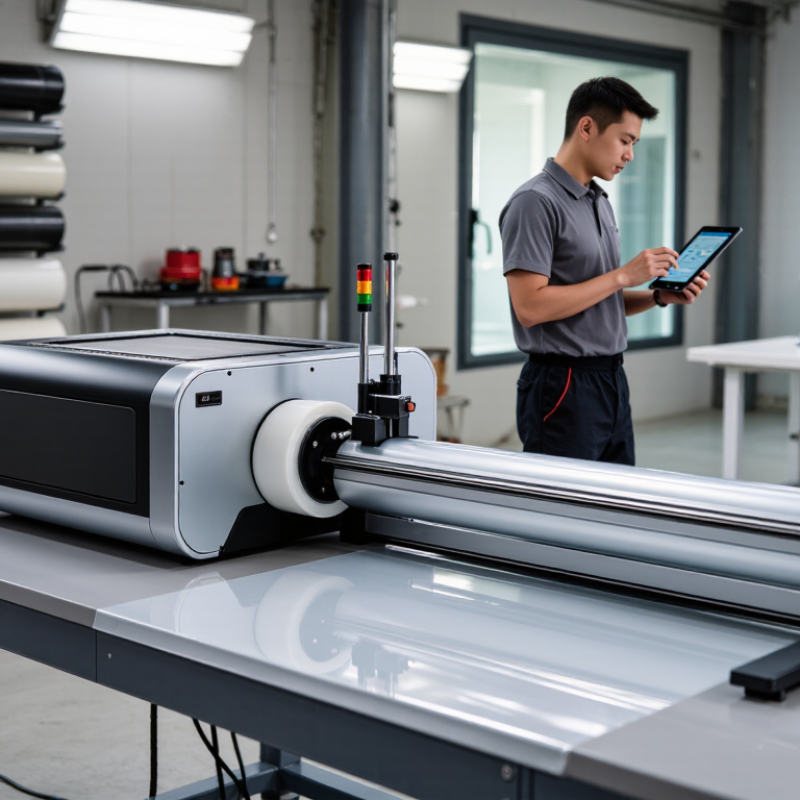
A PPF plotter should handle the film thickness and roll width your jobs actually require. Most paint protection film falls around 6–8 mil, but thickness alone does not guarantee clean cuts. Feed rollers must grip the material evenly, while blade pressure needs careful adjustment. Too much pressure can mark the backing; too little may leave edges connected. Check the machine’s stated material compatibility, then test a small pattern on your own film. A specification sheet can sound convincing. Real feeding can still be uneven.
Media widths commonly range from 24 to 60 inches. A 24-inch roll may suit mirrors, door cups, and smaller panels, while wider media can accommodate larger patterns with fewer layout compromises. Measure the usable cutting width, not just the advertised maximum. Also consider your workspace: a wide roll needs room to load, align, and move without catching on a wall or bench. I would not choose the widest option by default; it may sit unused.
Tips
Ask for a test cut using 6–8 mil film. Inspect corners, narrow curves, and small details under good light. Confirm how easily the plotter tracks a full roll. Keep notes on blade settings, too. They may need adjustment between film types, and that part is easy to overlook.
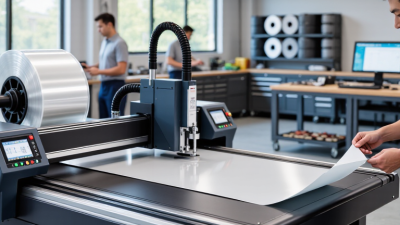
Seven Best PPF Plotter Machines for Your Business?
A 24-inch plotter suits small trim pieces, but struggles with wide panels. A 30-inch unit handles mirrors and narrow sections. The 36-inch option offers more flexibility for doors. For larger jobs, compare 48-inch and 54-inch models; they reduce repositioning on broad patterns. A 64-inch machine can cover many vehicle panels, while a 72-inch plotter supports wide-format work. Bigger is not always better. Measure your workspace and film rolls first.
Accuracy depends on blade condition, pinch-roller pressure, and material feed—not just the advertised tolerance. Ask each supplier for repeatability data, then test a detailed pattern with tight curves and small notches. Software matters too. Check whether it includes searchable vehicle templates, automatic nesting, adjustable blade settings, and reliable file updates. Some programs look polished but feel awkward during a busy workday. That matters.
Tips: Run a test cut before loading costly film. Watch the corners. Confirm the software can resize patterns without distorting them, and check how updates and support are handled. A small workflow gap can waste more film than a modest difference in cutting speed.
Compare nominal cutting width with representative positioning accuracy. Wider machines can handle larger film rolls, while lower accuracy values indicate tighter positioning.
How to use this comparison: These anonymous, illustrative reference points represent common cutter-width classes, not certified specifications for particular machines. Actual accuracy depends on the model, material, setup, and operating conditions. Before buying, confirm the machine’s usable cutting width and stated accuracy, and check that its software supports your required PPF patterns and file formats.
For PPF measuring 152–203 μm, feed control deserves close attention. A plotter must move the film steadily without stretching it or letting it drift. Even a small shift can misalign a long hood pattern. Check whether the machine supports adjustable pinch rollers and consistent take-up tension. Small details matter.
Thicker film can feel stiffer, especially when the roll is cold or has been stored tightly. That stiffness may increase resistance as the material passes through the rollers. Test a short feed before cutting a full pattern. Watch the film edges and compare the starting and ending positions against the machine’s guides. If the film creeps, reduce tension or adjust roller pressure in small steps. Avoid assuming one setting will suit every roll.
Ask for feed accuracy data using film close to your working thickness, not only thin sample media. A useful test includes a long feed and several repeated cuts, with measurements taken after each run. Keep notes on temperature, roller settings, and film type; these variables can affect results. Real shops are rarely perfectly controlled, so a test sheet may not predict every job. Still, it reveals problems early. The machine’s advertised tolerance is only part of the decision.
A practical comparison of seven plotter size and workflow categories. “Best” depends on your job mix, available space, and throughput needs; the feed-control ratings are general selection guidance, not verified specifications for a particular machine.
| Plotter category | Typical media-width class | Best suited to | Feed-control considerations for 152–203 μm PPF | Feed-control fit | Business trade-off |
|---|---|---|---|---|---|
| Compact desktop cutter | About 600 mm (24 in) | Small shops, sample cuts, accents, and limited small-panel work | Check that pinch rollers can be positioned on the usable media area and that the film tracks straight over the full job length. Run a test cut using the actual film and liner. | Low to moderate | Lower space requirement, but the narrow working width limits the range of vehicle panels that can be cut in one piece. |
| Entry-level roll-fed cutter | About 760 mm (30 in) | Small-volume installers and shops handling smaller patterns | Look for adjustable pinch rollers, stable take-up or support, and repeatable feed calibration. Avoid relying on a nominal thickness rating unless the manufacturer provides one. | Moderate | A compact footprint and broader use than a desktop unit, with width still restrictive for larger vehicle patterns. |
| Mid-width professional cutter | About 900 mm (36 in) | Mixed small- and medium-panel work | Consistent roller pressure and a straight, unobstructed feed path help reduce skew. Confirm that the machine can feed the chosen film-and-liner combination reliably. | Moderate to good | Useful balance of width and floor space; some larger patterns may require splitting or nesting. |
| Standard wide-format cutter | About 1,200 mm (48 in) | General-purpose PPF shops with varied vehicle work | Check long-feed accuracy, roller placement, and media support. Perform a tracking test on a representative length of the actual PPF before production. | Good | A versatile shop size, though the usable cutting width is typically less than the nominal media width. |
| Large-format roll-fed cutter | About 1,370 mm (54 in) | Higher-volume shops and larger panel patterns | Stable loading and consistent feed pressure become more important as media width and job length increase. Verify the manufacturer’s media limits and test for skew. | Good, subject to testing | Supports more large-format work but needs more floor space and careful roll handling. |
| Extra-wide production cutter | About 1,520 mm (60 in) | Production-oriented installers processing broad patterns | Assess roller configuration, media support, and feed repeatability across the full width. A successful short test does not confirm accuracy over a long feed. | Good, subject to setup | Greater pattern flexibility, with higher space, loading, and material-handling demands. |
| Maximum-width roll-fed cutter | About 1,625 mm (64 in) | Shops prioritizing wide coverage and large-format production | Use the specified loading method and roller positions; verify tracking and cut quality with the exact film, liner, and job length. Confirm compatibility with the manufacturer. | Potentially good; verify carefully | Offers the broadest media-width class in this comparison, but requires the most room and disciplined setup. |
Selection note: 152–203 μm describes film thickness; it does not by itself establish plotter compatibility. Feeding performance also depends on the liner, roll condition, roller setup, media support, and feed length. Check the manufacturer’s specifications and test the exact material before purchasing or beginning production.
When comparing seven PPF plotter machines, check vehicle-pattern coverage by make, model, year, and trim. A library may list a vehicle but miss a facelift or sensor change. Small gaps matter. Ask how often patterns are updated, and test a sample against the actual panel before cutting.
Grand View Research estimated the global automotive films market at $7.05 billion in 2023, with a projected 6.5% annual growth rate from 2024 to 2030. That report covers automotive films broadly, not plotter machines, but it signals a growing category where reliable pattern access can support day-to-day work.
File compatibility is just as practical. Confirm that the machine’s software imports your common vector formats, preserves scale, and flags missing paths. Test a real file. Send a hood pattern through the full process, from import to cut, and check alignment, blade settings, and material waste. A machine that cuts quickly may still slow the shop if staff must repair files or switch programs. Compare setup time across several jobs, not just a single demonstration. Keep a note of failed imports and recuts; they expose workflow friction that polished sales demos can hide. I would not treat a large pattern count as proof of useful coverage. Verify the specific vehicles your customers bring in.
A plotter’s advertised cutting speed is only a starting point. Ask for a live test using your own film, patterns, and roll width. Complex contours, small details, and repositioning can slow a job more than the headline speed suggests. Speed is not throughput. Measure a full sheet from loading to finished cut, then compare usable output per hour. That gap matters.
Warranty terms affect the real cost of downtime. Check what is covered, who pays for shipping, and whether replacement parts are readily available. The U.S. Bureau of Labor Statistics reported a $61,420 median annual wage for industrial machinery mechanics in May 2023. It is not a plotter repair-rate estimate, but it shows why service delays deserve a cost in your spreadsheet. For total cost of ownership, include software, blades, training, maintenance, scrap, and expected repairs. NIST Handbook 135’s life-cycle-costing approach also supports comparing purchase and operating costs over the equipment’s useful life. A rough estimate is still rough. But a one-year price comparison can miss recurring expenses that quietly outweigh the initial discount.