Leave Your Message

First Name *

Last Name

Phone/WhatsApp *

Your Message *

What Is the Best Car Tint Software in 2026?

Choosing the best Car Tint Software in 2026 depends less on a feature list and more on how a shop works. A busy installer may need fast pattern searches, accurate vehicle templates, and clean plotter integration. A smaller team may care more about simple estimates and customer follow-ups. The right choice should reduce repeated steps, not add another screen to manage.

A practical comparison starts with everyday tasks. Can staff find a 2025 sedan’s window pattern quickly? Does the software show film usage clearly before a job begins? Can a manager review appointments, quotes, and completed work without switching between several tools? Test these details in a live demo. Ask about template updates, data backups, support response times, and pricing after introductory offers. Small checks matter.

Features can look impressive. Workflow is harder to judge. A platform may offer inventory tracking, reporting, and customer records, yet still feel slow at the counter. That part is easy to miss. Try it with real shop scenarios, such as revising a quote or locating a past vehicle record. Also check whether its specifications and documentation support your shop’s compliance process; software cannot replace careful local review. No single product fits every installer, and a demo may not reveal every limitation. A short trial with staff feedback can expose rough edges before a long commitment. The following guide compares key tools, practical strengths, and trade-offs to help identify a fit—not to declare one universal winner.
What Is the Best Car Tint Software in 2026?

What Car Tint Software Is and How Shops Use It

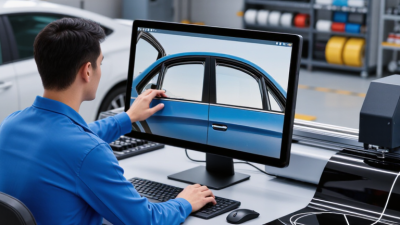
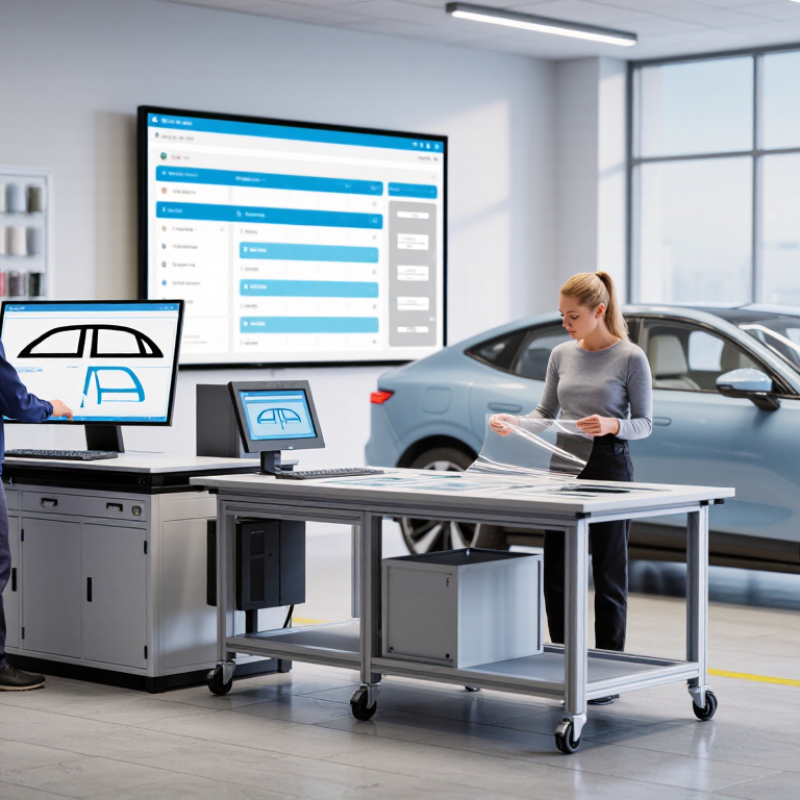
Car tint software helps a shop turn a vehicle and film choice into a repeatable job. Staff can look up a vehicle, select window patterns, prepare cutting files, and send them to a plotter. Many systems also track quotes, film rolls, appointments, and job status. The screen may show a sedan’s side-window pattern, while a work order records the film selected and the technician assigned. Less rework.

In practice, the software connects front-desk estimates with the installation bay. A manager can check whether the right film is in stock before promising a pickup time. Technicians can retrieve job details without relying on handwritten notes. SEMA’s 2024 Market Report estimated the U.S. specialty-equipment market at $52.3 billion in 2023. That figure is not a measure of tint software sales, but it shows the scale of the wider vehicle-upgrade sector. Software still needs accurate vehicle data and staff who verify the cut before installation. A wrong pattern can waste film.

Tips: Test the full workflow with a common vehicle. Confirm pattern fit, quote accuracy, inventory updates, and plotter output. Keep a manual review step; software can speed up work, but it cannot judge every fit on the glass.

How to Evaluate Car Tint Software in 2026

Choosing car tint software in 2026 means testing how it performs during real shop work, not just admiring a polished demo. Try it live. Enter a vehicle, select windows, and check whether the displayed glass shapes match the car. Compare shade previews under bright and dim screen settings; a convincing image should not replace careful customer communication. Check whether estimates clearly show film, labor, and optional services. Small quoting errors can create awkward conversations at pickup.

Then follow one job from booking to completion. Can staff record film use, note a customer’s preferences, and update the job from a tablet? Look for useful stock alerts, searchable vehicle records, and reports that help explain busy or slow weeks. Ask how often templates are updated and what happens when a vehicle is missing. Support matters when the shop is busy, so test response times before committing. Review permissions, backups, and data export options, too. No scorecard catches everything. A short trial with actual staff may reveal clumsy steps that a manager misses. Some workflow details will remain imperfect, but the best choice should save time without making records harder to trust.

What Is the Best Car Tint Software in 2026? — How to Evaluate Car Tint Software in 2026
Evaluation Dimension Weight What to Check Strong Performance Looks Like Evidence to Request
Vehicle and glass coverage 15% Whether the vehicle database covers the makes, models, model years, body styles, and glass configurations handled by the shop. Common local vehicles are supported, glass pieces are clearly identified, and missing or revised patterns can be reported and updated. Test searches using vehicles from recent shop jobs; check how unsupported vehicles are handled.
Pattern accuracy and updates 14% How patterns are validated, corrected, versioned, and made available after vehicle or glass changes. Pattern changes are traceable, current versions are identifiable, and technicians have a clear process for reporting fit issues. Ask for update history and demonstrate a pattern correction or support request.
Tint visualization and quoting 11% Whether customers can compare film options, visible-light-transmission levels, and quoted packages before authorizing work. Options are easy to explain, quotes are itemized, and displayed specifications can be checked against product documentation. Run a sample consultation and verify how film specifications appear on the quote.
Job scheduling and workflow 11% Support for appointments, job status, technician assignment, vehicle details, and customer approval. Staff can see the next steps and job status without relying on separate, manually maintained records. Walk through a booking, check-in, work-in-progress, and completed-job scenario.
Inventory and product tracking 10% Tracking of film types, shades, rolls, usage, and reorder needs, including the relationship between products and jobs. Stock levels can be reviewed and adjusted, and material usage can be associated with completed work. Test a sample stock receipt, job allocation, usage entry, and low-stock report.
Business integrations 9% Compatibility with the shop’s payment, accounting, calendar, messaging, and other operational systems. Supported integrations reduce duplicate entry, and data transfer limitations are documented. Confirm integration availability, setup requirements, and what information syncs in each direction.
Customer records and communication 8% Customer and vehicle history, consent records, reminders, estimates, and job updates. Staff can retrieve prior work and customer preferences, while communications and consent are recorded appropriately. Review a sample customer record and the available reminder and messaging controls.
Compliance and documentation 7% Support for recording film specifications, customer acknowledgments, and location-specific tint requirements. The system helps staff document relevant details but does not substitute for checking current local regulations. Ask how records are retained and how staff can enter or update local requirements.
Reporting and business insight 6% Reports for sales, job volume, estimates, labor, material usage, and other shop-defined measures. Reports use clear definitions, can be filtered by date or job type, and can be exported for further review. Inspect sample reports and confirm which data fields are included in exports.
Ease of use and mobile access 5% Usability for front-desk staff and technicians on the devices used at the shop. Common tasks are straightforward, screens work on relevant devices, and staff can learn the workflow with practical training. Have both an administrator and a technician complete representative tasks.
Security, support, and total cost 4% User permissions, data backup and export, support availability, onboarding, contract terms, and recurring or usage-based fees. Costs and service terms are transparent, access can be controlled, and the shop has a workable data recovery and exit plan. Review a written price schedule, support terms, security documentation, and data export process.
Total evaluation weight 100% Use the weights to compare solutions against the shop’s actual workflow, vehicle mix, and operating requirements.

Scoring method: Rate each dimension from 1 (does not meet requirements) to 5 (fully meets requirements), then multiply each rating by its weight. This is an evaluation framework, not a ranking of specific software products.

Which Features Matter Most for Tint Businesses

What Is the Best Car Tint Software in 2026?

Which Features Matter Most for Tint Businesses

Choosing tint software starts with the work happening at the counter and in the bay. A useful system should help staff find the right vehicle, select window patterns, and create a clear estimate without re-entering customer details. Pattern accuracy matters. A small mismatch can waste film and add time to a job, so check how updates are handled and whether technicians can flag fit issues.

Customer previews can make shade choices easier, especially when a customer is comparing options on a phone or shop display. Estimates should show the selected film, covered windows, and price in plain language. That saves time. Scheduling, deposits, and job notes should connect to the same customer record, so technicians can see promised details before installation. Still, a polished preview cannot replace a careful conversation about visibility and customer expectations.

Inventory tracking is valuable when it reflects actual rolls, usable remnants, and reorder needs. Reporting can reveal common vehicle types, rework, and busy periods, but only if employees enter consistent data. Access controls and dependable backups also deserve attention; customer records should not be casually exposed. During a trial, run a real job from quote to completion. Some features may look impressive but slow down a small team, and that is easy to miss in a sales demo.

How Leading Car Tint Software Options Compare

Choosing car tint software in 2026 means comparing real shop needs, not just counting features. A pattern-focused system can speed up film selection and reduce manual cutting. A shop-management platform may handle estimates, deposits, scheduling, and customer records in one place. Check whether its vehicle database is easy to search at the counter, and whether quotes clearly show film options and prices. Small details matter. SEMA’s 2024 Market Report valued the U.S. specialty-equipment market at $52.3 billion in 2023. The report does not isolate tint shops, so it cannot show which software performs best. It does, however, describe a substantial aftermarket where efficient workflows can matter.

Compare tools using the same sample job: a sedan, several window choices, a film upgrade, and a rescheduled appointment. Check how each system handles quotes, inventory, reminders, reporting, and staff access. PwC’s 2018 Future of Customer Experience survey found that 32% of U.S. consumers would stop doing business with a company after one bad experience. That figure is not specific to tint shops, but it supports testing the customer-facing steps, not just back-office features. Look closely at mobile use and data exports, too. This comparison is imperfect: a polished demo may not match a busy Saturday. Ask for a trial using your own workflow. One missed detail can still happen.

How to Choose the Right Software for Your Shop

What Is the Best Car Tint Software in 2026?

How to Choose the Right Software for Your Shop

The best software is the one your team can use accurately during a busy installation day. Start with your actual workflow: quoting film by vehicle, recording material use, scheduling bays, and saving customer preferences. Fit matters more than feature count. SEMA’s 2024 Market Report estimated the U.S. specialty-equipment market at $52.3 billion in 2023, showing the scale of the broader vehicle-customization market.

That figure does not prove software will increase a tint shop’s revenue; it does make efficient handling of jobs worth examining.

Ask for a live demonstration using a real vehicle and a complicated quote. Test whether staff can find the correct vehicle, adjust film choices, and revise the estimate without starting over.

Test it live.

Check how the system handles deposits, reminders, inventory, and reports, then confirm data can be exported if you switch tools. The U.S. Bureau of Labor Statistics projects about 67,700 annual openings for automotive service technicians and mechanics from 2023 to 2033. Tint installers are not the same occupation, but the projection is a useful reminder to assess how software supports training and handoffs.

Small details count. I would still ask employees to test it; owners can miss clumsy steps they rarely perform.