Leave Your Message

First Name *

Last Name

Phone/WhatsApp *

Your Message *

Top 10 Best Window Tint Software in 2026?

Choosing the right Window Tint Software is no longer just an administrative decision. Shops use these tools to manage estimates, appointments, film inventory, customer records, and installation details. A missed measurement or unclear job note can mean wasted film and a frustrated customer. Software cannot fix poor workflows, though. That part still takes practice.

The market is growing, but the numbers need context. Grand View Research’s Automotive Films Market Size, Share & Trends Analysis Report estimated the global market at about $6.3 billion in 2023 and projected continued growth through 2030. That figure covers automotive films broadly, not tint shops or software alone. It signals a changing industry, not a guaranteed return for any shop. The U.S. Department of Energy also explains that window films can help reduce unwanted solar heat in buildings; results depend on the film, glass, and installation conditions. Different setting, useful reminder: product claims need context.

This Top 10 guide compares software by practical shop needs: quote accuracy, scheduling, customer communication, inventory visibility, reporting, and ease of use. We consider whether each platform supports real installation workflows, rather than simply offering a long feature list. No system is perfect. A polished dashboard can still feel clumsy at a busy front desk, and some tools may be more than a small shop needs. Use the comparisons as a starting point, then verify current pricing, integrations, and trial terms directly with each provider.
Top 10 Best Window Tint Software in 2026?

What Window Tint Software Is and How Tint Shops Use It

Top 10 Best Window Tint Software in 2026?

What Window Tint Software Is and How Tint Shops Use It

Window tint software helps shops manage the steps between a customer’s first call and the finished installation. It can create estimates, book appointments, track film inventory, store vehicle details, and save job photos. A technician might pull up a sedan’s window measurements, check film availability, then record a completed edge inspection—all from one job file. Useful, but not magic. Staff still need to verify measurements and inspect the glass in person.

The market gives this work real context. SEMA’s 2024 market report estimated U.S. specialty-equipment sales at $52.3 billion in 2023. That broad category includes many vehicle upgrades, not just tinting, so it should not be read as a tint-software market estimate. It does show the scale of customization work shops may need to coordinate. In practice, clear job notes can reduce avoidable mix-ups, such as preparing the wrong film shade or missing a promised pickup time.

Tips: Keep vehicle details, customer preferences, and before-and-after photos together. Check that estimates match the shop’s actual film and labor costs. A tidy dashboard helps, but a dusty window edge can still escape notice if nobody checks it.


How to Evaluate Window Tint Software in 2026

Evaluate window tint software with a real job, not a polished demo. Enter a vehicle, select film, adjust measurements, and produce a quote. Watch for awkward steps. Can staff correct a mistaken measurement without rebuilding the whole estimate? Check whether the system stores vehicle notes, film rolls, labor rates, and customer approvals together. Small details matter. Ask how it handles slow internet, data exports, and daily backups. The 2024 Data Breach Investigations Report found that 68% of breaches involved a human element. That figure spans industries, not tint shops alone, but it makes user permissions and staff training practical evaluation points.

Compare the software’s security controls with its everyday value. The 2024 Cost of a Data Breach Report estimated the average global breach cost at US$4.88 million; this is not a forecast for a tint business. Still, it supports checking encryption, account access, and recovery procedures before storing customer records. Test reports against actual shop questions: Which jobs need rework? Which film sizes sit unused? Can you find an unpaid invoice in seconds? Ask for a trial using your own pricing and a sample week of jobs. No dashboard is magic. I would also verify support response times in writing; a smooth demo can hide frustrating gaps. A slightly imperfect workflow may be acceptable, but only if staff can explain the workaround and its cost.

Top 10 Best Window Tint Software in 2026? - How to Evaluate Window Tint Software in 2026

A practical, brand-neutral evaluation framework for comparing software used by window tint and film-service businesses.

The ranking below orders evaluation criteria, not specific products. Suggested weights are a sample scoring model and should be adjusted to fit your shop’s workflow.

Rank Evaluation Area Suggested Weight What to Evaluate Practical Test
1 Vehicle and job workflow 16% Support for customer records, vehicle details, service selection, job status, and notes in one connected workflow. Create a sample vehicle job, update its status, and confirm that staff can find its service details and history.
2 Quoting and estimates 14% Ability to build clear estimates with configurable services, quantities, taxes, discounts, and optional add-ons. Prepare a quote for several windows and an optional upgrade; check the calculations and customer-facing layout.
3 Scheduling and capacity 12% Appointment booking, staff or bay availability, job duration settings, and visibility into schedule changes. Book, reschedule, and cancel appointments while checking for conflicts and updated availability.
4 Customer communication 11% Tools for sending appointment confirmations, reminders, quote updates, and job-completion messages. Review communication templates, delivery records, customer contact preferences, and opt-out controls.
5 Inventory and product tracking 10% Tracking for film rolls or stock items, units, quantities, adjustments, and links between materials and jobs. Record a stock receipt, allocate material to a test job, and verify that the inventory balance updates correctly.
6 Invoicing and payment workflow 10% Invoice creation, payment status, partial payments where needed, refunds or adjustments, and transaction records. Convert an estimate to an invoice, record a test payment, and confirm that balances and documents remain consistent.
7 Reporting and business insights 9% Useful reports for sales, completed jobs, appointment activity, service mix, and inventory movement. Run a date-filtered report and check whether totals can be reconciled with the underlying job or invoice records.
8 Ease of use and staff training 7% Clarity of common tasks, consistency of navigation, accessibility on relevant devices, and availability of help materials. Ask a new staff member to create a customer, schedule a job, and prepare an estimate without step-by-step assistance.
9 Integrations and data portability 6% Compatibility with the shop’s existing accounting, payment, calendar, or communication processes, plus export options. Confirm which integrations are supported, what data is synchronized, and whether customer and job data can be exported.
10 Security, permissions, and support 5% User access controls, data-handling information, backup practices, support channels, and documented service terms. Review role permissions, account recovery procedures, data export or deletion policies, and support response expectations.

The 10 Best Window Tint Software Platforms in 2026

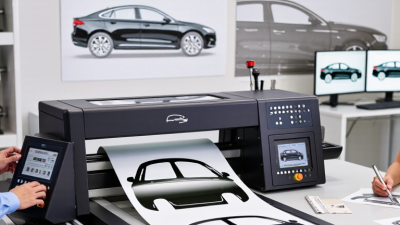
Choosing among the 10 best window tint software platforms in 2026 means testing everyday shop tasks, not admiring polished dashboards. Can staff find a vehicle pattern quickly, adjust a cut, and send it to the plotter without re-entering customer details? SEMA’s 2023 Market Report valued the U.S. specialty-equipment market at $52.3 billion in 2022 and forecast 4% growth for 2023. That broader market is not a measure of tint-software sales, but it shows why efficient service operations matter. The right platform should fit your actual workflow, not an imagined high-volume shop.

Compare tools across ten practical functions: pattern libraries, plotter connections, estimating, scheduling, customer records, digital approvals, inventory, payments, accounting links, and reporting. Ask for a live demonstration using a real vehicle and a complicated installation. Small details matter. Check whether pattern updates are included, how long data exports take, and what happens when internet access drops. Ask staff to try it, too; a manager’s favorite screen may frustrate installers. Industry reports can frame market conditions, but they cannot prove that a platform will save your shop time. Track quoting errors and job turnaround before and after a trial. One caveat: software can organize work, yet poor measurements still produce poor cuts. A neat dashboard is not quality control.

Top 10 Best Window Tint Software in 2026? — A 100-Point Evaluation Framework

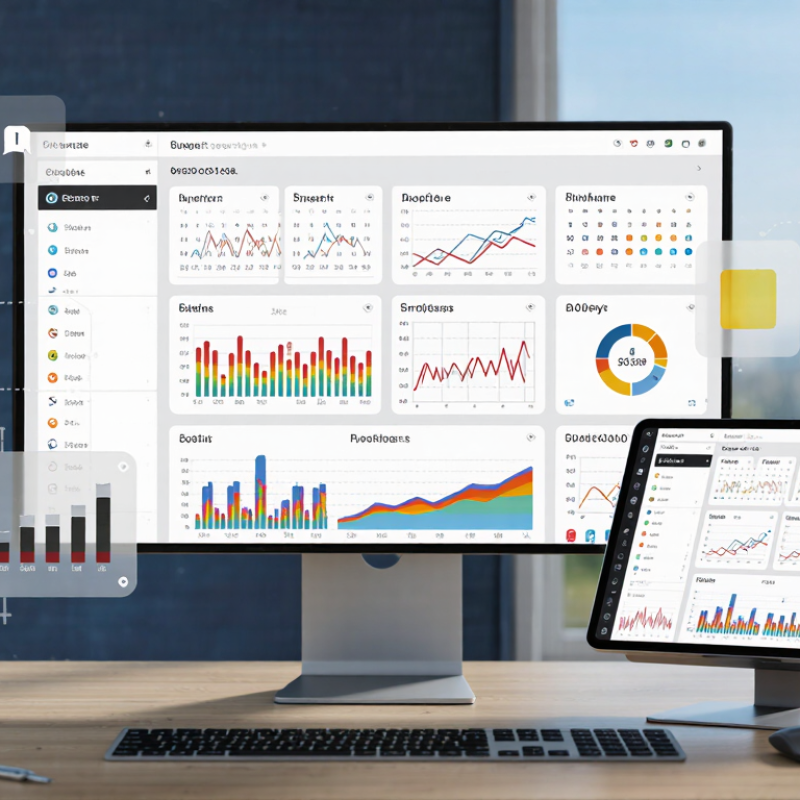
Use these weighted criteria to compare window tint software platforms. The chart shows an editorial evaluation framework—not vendor ratings or survey results.

Weights total 100 points. Prioritize quoting, estimating, and film pattern or cut-file capabilities, then adjust the criteria to fit your shop’s workflow.

Key Features, Pricing, and Workflow Differences

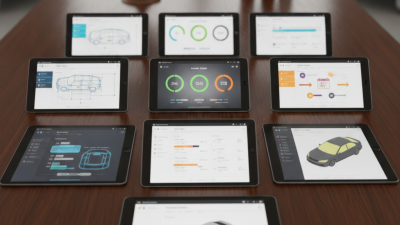
For a tint shop, the best software is not simply the one with the most buttons. Compare pattern libraries, vehicle lookup, quote building, job scheduling, and customer records. A clear vehicle diagram helps staff confirm window sections before cutting. A useful quote screen separates film, labor, and optional upgrades. Details matter. Check whether the system tracks plotter instructions and job status, or only stores appointments. That difference can change a busy Saturday.

Pricing often depends on users, locations, or monthly job volume, so compare the full bill—not just the advertised entry tier. Ask whether setup, training, data migration, and support cost extra. The 2023 State of the Connected Customer report found that 80% of customers consider a company’s experience as important as its products or services. For tint shops, that experience may be a fast estimate, an accurate booking, and a clear pickup message. Small delays add up.

Workflow differences show up in everyday handoffs. One system may move a quote directly into a scheduled job; another may require staff to re-enter vehicle details. Test both with the same sample: a sedan, two film options, and a next-day appointment. Watch how many screens it takes. Also test edits and cancellations. A polished demo can hide awkward steps. I would not assume automation saves time until the team tries it during real shop hours.

How to Choose Software for Your Tint Business

Choosing software for a tint business starts with the bay, not the feature list. Can staff attach vehicle details, film type, window measurements, and customer photos to one job? Can they see whether a roll is running low before booking tomorrow’s installation? These small checks prevent avoidable delays. Details matter. Ask for a live demonstration using a real tint job, not a prepared sales example.

The U.S. Chamber of Commerce’s 2024 Empowering Small Business report found that 99% of surveyed small businesses use at least one technology platform, while 88% said technology helps them operate more efficiently. Those figures are broad, not tint-shop-specific. Still, they underline a useful point: software should save measurable time. Track how long estimates take, how often appointments need correction, and whether inventory records match what is on the shelf.

Compare tools on scheduling, estimates, payments, inventory, and customer follow-up. Check whether staff can learn the system without interrupting a busy afternoon. Test data export, user permissions, support response times, and the full cost after any trial period. A sleek dashboard can impress. It can also distract from clumsy job entry. Be honest about what your team will actually use; the perfect setup may not exist.