



How to Test PPF Cutting Software Before You Buy: A Shop Trial Checklist
A PPF software demo can look convincing. The presenter finds a vehicle, opens a pattern, makes an adjustment, and sends it to a plotter. Everything moves along smoothly.
At your shop, the questions are more specific. Can your installer find the right bumper version? Can the software work with your existing equipment? What happens when a pattern needs changing and the next vehicle is already waiting?
A useful PPF cutting software trial should give you evidence about those everyday tasks. Before choosing a subscription, take a familiar job through the process and record what happens. The checklist below will help you plan that test.
Before the Trial: Prepare a Real Job and Your Shop Setup
Choose a vehicle your shop regularly handles, preferably one you can inspect during the trial. Prepare the model year, body style, trim, and clear photos of any details that might affect pattern selection. Note aftermarket parts or previous repairs that could make the vehicle different from the original design.
Also write down your computer operating system, exact plotter model, available connection methods, film type, and roll width. Send these details to the supplier before arranging the test. A general claim of plotter compatibility does not confirm your particular setup.
Ask what trial access includes:
- Can you make actual cuts, or only browse and edit?
- Are the patterns and editing tools you need available?
- Are there cutting, device, or account limits?
- Can someone help with setup during your working hours?
Arrange access around a job you can actually test. Otherwise, the trial may expire while you are still waiting for the car, the machine connection, or an answer about permissions.
Run One Job from Vehicle Selection to Cut Preparation
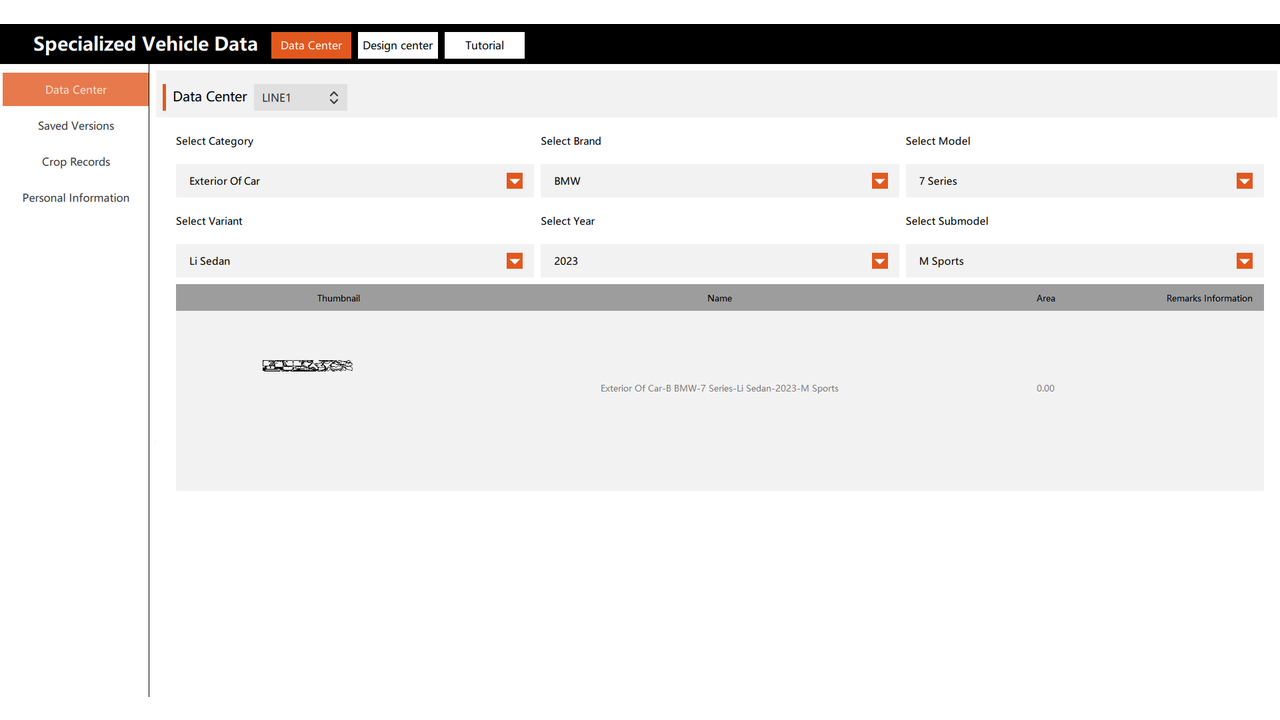
Start with the same information you would receive on a normal booking. Find the vehicle, open the required panel, and compare the pattern details with the actual car.
Pay attention to areas that distinguish versions, such as bumper openings, lights, sensors, and trim. If the software lists similar options, check whether you can identify the correct one without guessing. Ask for help when the distinction is unclear.
Finding a model name is only the beginning. Your trial should establish whether the required panels are available and whether the selection makes sense for the vehicle in front of you. For a closer look at coverage and model differences, see how to evaluate a PPF cutting software database before you buy.
Make an Adjustment You Actually Need
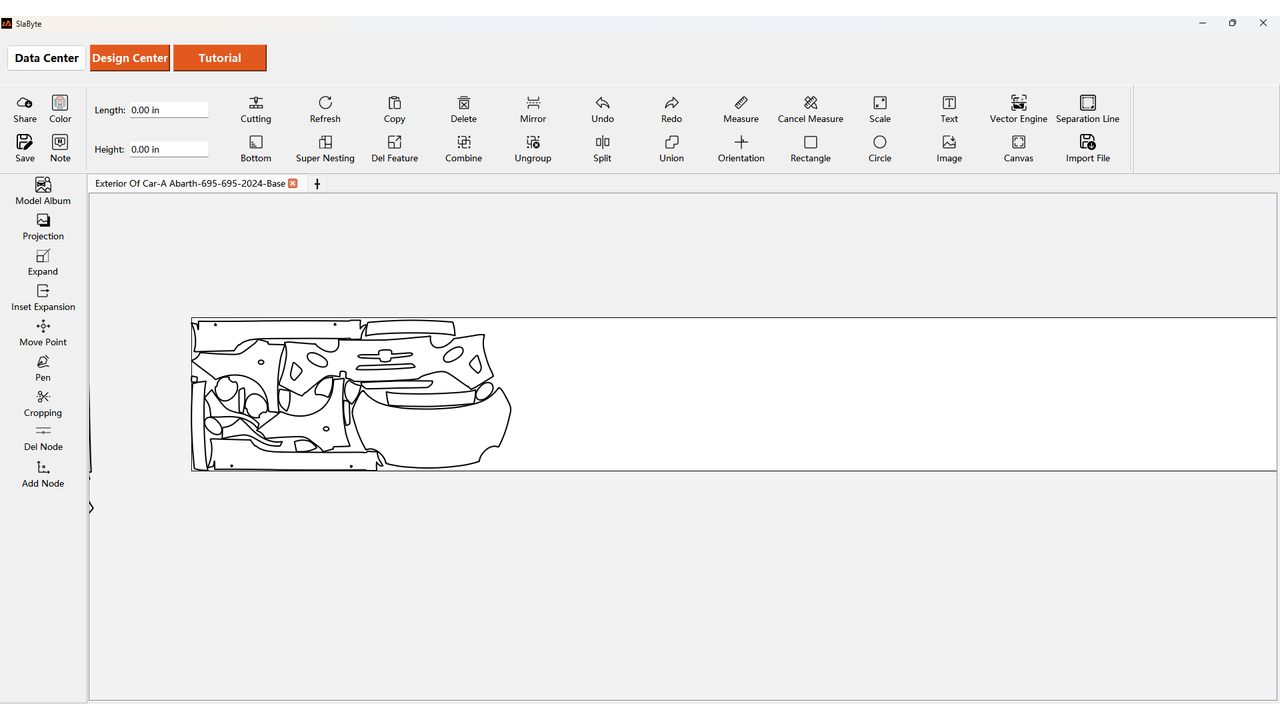
Pick an editing task your installers would normally perform. It might be adding allowance to a selected edge or adjusting a small area for a particular installation approach. Check that you can understand which section is selected, control the change, and inspect the result before cutting.
SlaByte lists edge expansion, node adjustment, mirroring, and external data import among its software capabilities. If these matter to your shop, include them in the trial rather than relying on a demonstration alone.
Test a change you would make on a real order. Adding allowance everywhere simply to try a button tells you less than adjusting the edge that needs it. The appropriate allowance depends on the panel and installation plan; there is no single setting to recommend for every job.
If you expect to reuse changes, ask whether your trial and proposed plan allow you to save a custom version. Test reopening it and identifying it later. If you import your own data, confirm supported formats and units with the supplier, then check the dimensions after import.
Test the Software with Your Own Plotter and Film
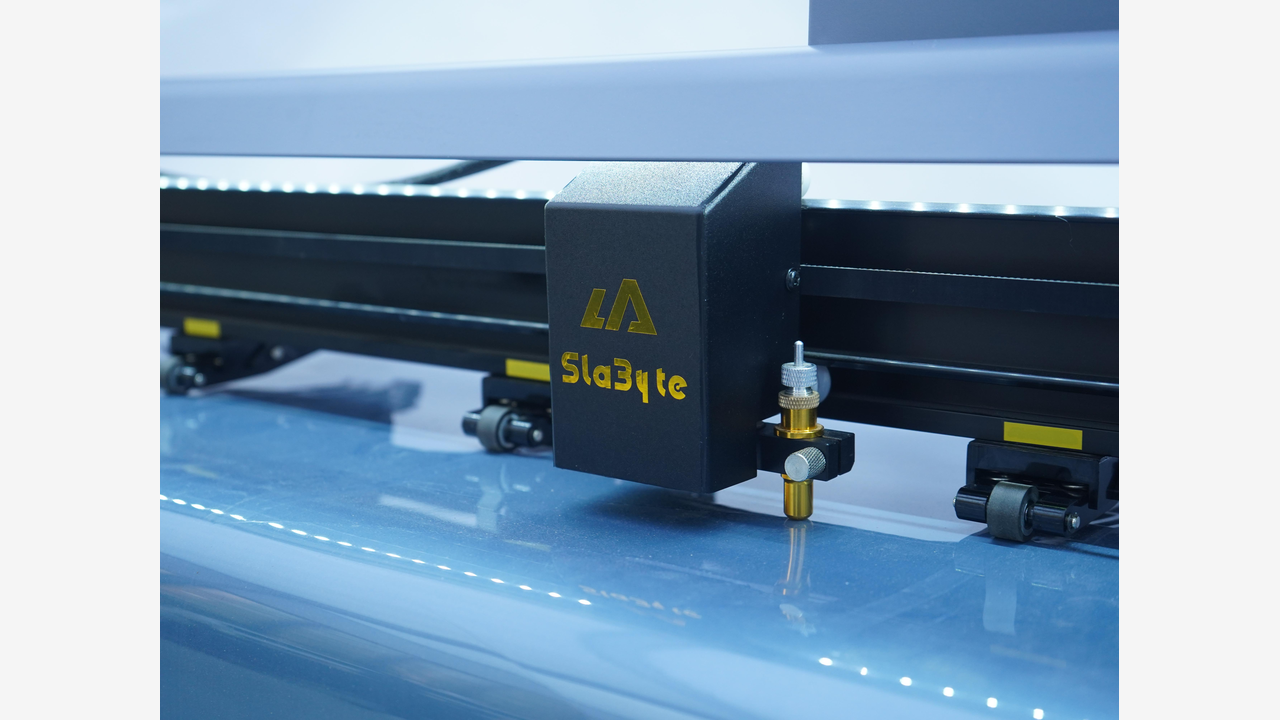
Before committing a large piece of PPF, confirm the connection, output settings, material loading, and blade setup with the relevant software, equipment, and film guidance. Start with a small test appropriate to your setup.
Check whether the output is at the intended scale and whether the cut behaves as expected for that film and liner. Once the basic setup is working, test a representative panel where trial permissions and available materials allow.
Keep the stages separate in your notes:
- Software preparation: Was the correct pattern selected and adjusted?
- Machine output: Did the plotter receive the job and reproduce the intended dimensions and shape?
- Installation check: Did the cut piece suit the actual panel and planned coverage?
A pattern preview cannot confirm the whole result. Equally, a poor cut does not by itself identify a database problem. Loading, tracking, blade condition, settings, film behavior, pattern selection, and installation technique may all need checking.
If the result is wrong, record the symptoms before changing several things at once. A clear record makes it easier to investigate the cause. SlaByte’s article on how cutting machines and cutting data affect installation quality provides further context for evaluating the complete system.
Successful connection is a starting point; a usable cut is the next check. If you cannot test the physical output during the trial, record it as unverified and arrange a way to check it before purchasing.
Let the Person Who Will Use It Take Over
After the demonstration, let the employee who will prepare your daily cutting jobs repeat the process. Give them the vehicle details and the task, then observe where they need help.
Can they find the correct panel, make the required adjustment, check the layout, and prepare the output? Do they understand how to undo a mistake? Can they distinguish their edited version from the original, if that function is available?
Note where guidance was necessary and whether the explanation helped them complete the task again. Separate initial setup time from routine operation. Neither a slow first attempt nor a polished sales demo tells you how quickly an employee will work after training.
If different people prepare and install the film, test the handoff too. The installer should be able to tell which piece belongs to which panel and what changes were made. Ask whether the available labeling or job organization options suit your process.
Ask Support to Help with a Real Question
A trial is a useful opportunity to see how a supplier explains a problem. Send a genuine question that came up during testing. Include the software version, vehicle details, plotter model where relevant, screenshots, and a short description of what you expected and what happened.
Look at the usefulness of the reply as well as the response time. Does it address your question? Are the steps clear enough to follow? If the issue remains unresolved, is there an agreed next step?
Ask about support language, working hours, contact channels, and how pattern or technical problems are handled after purchase. One good exchange cannot establish long-term service quality, but it can help you understand the process and identify gaps before committing.
Check What Changes After the Trial Ends
The trial may not have the same permissions as the plan you are considering. Confirm the terms for the plan you will actually buy, preferably in writing.
Ask about:
- Subscription length, renewal price, and cancellation conditions.
- Cutting limits, credits, or charges beyond the plan allowance, if applicable.
- Computer, plotter, user, and simultaneous login restrictions.
- Included vehicle data, updates, editing tools, and import functions.
- Training and technical support included in the price.
- Access to saved custom work when a plan changes or expires.
- Internet requirements and any supported offline operation.
Do not assume these restrictions apply to every provider. Use the list to establish the actual terms of each offer. If a feature was demonstrated but is unavailable in your proposed plan, ask the supplier to clarify that difference before comparing prices.
Use a Simple Trial Record Before You Decide
A short record is more useful than trying to remember which demo felt easier. Copy this table for each supplier and add the vehicle, equipment, material, and plan tested. These are recording prompts, not example test results.
| Test task | Record what happened | Question to resolve |
|---|---|---|
| Find the correct vehicle and panel | Version found, missing items, help needed | Does it cover our regular work? |
| Make a necessary edit | Steps taken and whether the result was clear | Can our staff repeat it? |
| Send a test to the plotter | Connection, settings, output dimensions | Is our exact setup verified? |
| Check the cut on the vehicle | Fit, coverage, adjustments required | What caused any mismatch? |
| Repeat the task independently | Instructions or assistance needed | What training is required? |
| Contact support | Reply, actions taken, remaining issue | Is the support process workable? |
| Confirm the paid plan | Included features and written conditions | Does the plan cover what we tested? |
Classify your findings as ready to use, needs clarification, or not tested. Give priority to the tasks your shop must complete every week. A missing essential function matters more than a long list of features you rarely need.
You do not need to settle every possible scenario during a trial. You do need to identify unresolved questions that could interrupt your normal work and agree how they will be checked.
Frequently Asked Questions
What should I prepare before a PPF software trial?
Prepare accurate details for a familiar vehicle, the panels you want to cut, your computer and plotter specifications, and the film you intend to use. Ask about trial permissions and arrange access to the equipment and vehicle before the trial begins.
Can I evaluate the software without a cutting plotter?
You can assess vehicle selection, editing, ease of use, and support. You cannot independently verify physical cutting performance on your equipment. Ask about a supervised test or another suitable way to check output, and keep that part of the evaluation marked as unverified until tested.
What if a pattern does not fit during the trial?
Record the exact vehicle version, panel, pattern selected, changes made, and output dimensions. Photograph the mismatch and contact support. Check vehicle differences, scale, equipment setup, and installation factors before concluding that the base pattern is wrong.
How can I compare two PPF cutting software trials fairly?
Use the same vehicle, panel, editing task, operator, plotter, and film wherever possible. Record differences in assistance and plan permissions. Compare both the completed work and unresolved issues, then check that each quoted plan includes the functions you tested.
When you are ready to try SlaByte, bring your regular vehicle list, plotter details, and the adjustments your installers use. Discuss the available trial access and work through a representative task. Choose with a record of what worked in your shop, and a clear answer to what still needs checking.