Leave Your Message

First Name *

Last Name

Phone/WhatsApp *

Your Message *

Why Use Free Vinyl Cutting Software for Your Business?

Why Use Free Vinyl Cutting Software for Your Business?

Small signs, window graphics, labels, and heat-transfer designs can become profitable products. Free Vinyl Cutting Software lowers the first barrier: expensive subscriptions. It lets a shop test cut paths, adjust blade pressure, and preview material waste before purchasing advanced tools. A practical trial might begin with one roll of black vinyl, a desktop cutter, and ten repeatable designs. That is not glamorous. It is useful.

The global digital printing market was valued at approximately $34.9 billion in 2023, according to Grand View Research. The report also expects continued growth through 2030, supported by customized and short-run production. Smithers has similarly identified personalization and on-demand printing as important industry drivers. These reports do not prove that every free tool will increase revenue. They show why flexible production matters.

Cricut CEO Ashish Arora has stated, “Everyone is creative.” That idea supports accessible software, but business owners still need technical judgment. File compatibility, commercial-use licensing, update support, and accurate color previews deserve careful checking. A free program may save money, yet consume time through crashes or limited export options. That trade-off is easy to miss.

For a growing business, Free Vinyl Cutting Software can be a sensible testing ground. Start small. Track failed cuts, material usage, and production time. Then compare those results with paid alternatives. The cheapest option is not always the most efficient one. But ignoring free tools may also leave useful capacity unused.

Why Use Free Vinyl Cutting Software for Your Business?

What Free Vinyl Cutting Software Is and How It Works

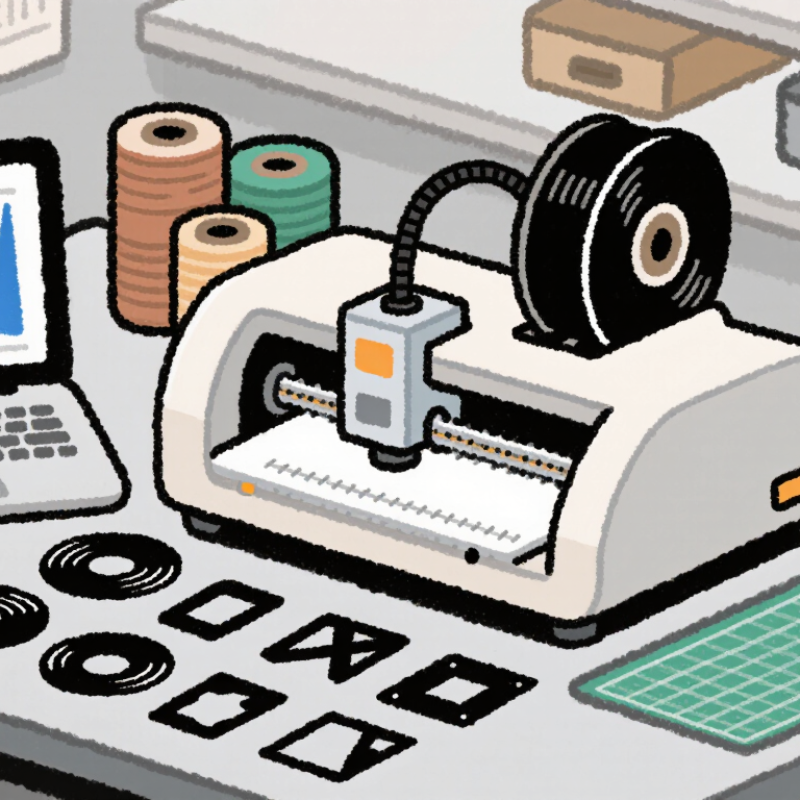
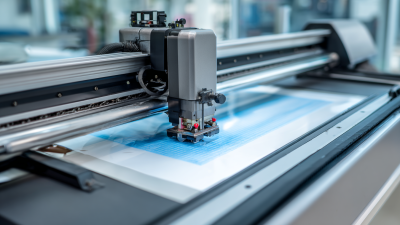
Free vinyl cutting software is a digital tool that prepares artwork for a cutting machine. It converts text, logos, and simple drawings into cutting paths. The machine reads these paths and guides a blade across adhesive vinyl. The result can become window lettering, product labels, or small promotional signs.

Most free programs offer basic drawing, resizing, layering, and file-import features. Some also show a cutting preview before production. This preview helps reveal open lines, overlapping shapes, or tiny details that may tear during weeding. In a small workshop, I would test every design on scrap vinyl first. Free software can support a business, but it may lack advanced color control or automation. That limitation deserves attention.

Tips: Keep designs simple at the beginning. Use clear paths and avoid extremely thin lines. Check the blade depth and material settings before cutting. Save editable files separately from production files. I once trusted a preview too quickly, and a narrow letter lifted from the backing. That mistake was minor, but it showed why careful testing matters. A short trial cut often protects time, materials, and customer trust.

Key Features Businesses Need in Vinyl Cutting Software

Free vinyl cutting software can support a small business without adding another monthly expense. Its value depends on practical features, not a colorful interface. A clean design workspace should import common vector files and preserve exact dimensions. This matters when a window graphic must fit a 30-centimeter panel. Simple alignment tools also reduce spacing errors between letters, shapes, and borders.

Reliable software should offer a clear preview before cutting. Weed-line controls are especially useful for detailed lettering and small decals. Adjustable blade pressure, speed, and material settings help users work with different vinyl thicknesses. Automatic nesting can reduce wasted material by arranging several orders closely. Small errors become expensive. I have learned that one missed preview can ruin an entire sheet.

A useful program should connect smoothly with compatible cutting equipment and remember successful settings. It should also save project files clearly, so staff can repeat an order weeks later. Basic templates may help beginners, but businesses need editable designs rather than locked layouts. Regular updates, readable instructions, and responsive technical support improve reliability. Security matters too, especially when customer artwork is stored online. Free tools can have limits, such as fewer export options or slower support. Those weaknesses deserve testing before a busy production day. A short trial run with scrap vinyl often reveals more than promotional claims.

How Free Software Reduces Design and Production Costs

Free vinyl cutting software can lower costs before material reaches the machine. A designer can create lettering, resize artwork, and test spacing without paying subscription fees. That matters for small teams with irregular orders. Money stays available for vinyl, blades, and maintenance.

In a practical workflow, export settings affect production more than flashy tools. Clean vector paths reduce jagged edges and failed cuts. Simple previews help operators catch mirrored text or missing shapes. One extra check can prevent a full roll of wasted material. Free programs often support common vector formats, but compatibility varies. Verify commercial-use terms and file ownership before using the software for client work. This is not exciting, yet it protects the budget.

Cost savings also come from training. Clear controls let new staff learn basic cutting tasks with less supervision. Short practice files can reveal pressure, speed, and weeding problems before a customer order begins. Mistakes remain. Some free tools have limited automation, weak support, or confusing updates. A careful shop should record successful settings and keep backup files. I would not choose software only because it costs nothing; reliability still has a price. Test it on a small piece first, then compare labor saved against errors created.

A Step-by-Step Workflow for Creating Vinyl Cutting Projects

Free vinyl cutting software can support a disciplined production workflow, not just reduce expenses. Grand View Research valued the global digital printing market at approximately $36.9 billion in 2022. It also forecast a 6.1% compound annual growth rate from 2023 to 2030. That growth suggests stronger demand for flexible, short-run graphics, including decals, labels, and window lettering.

Start by measuring the application surface and recording its width, height, and viewing distance. Create the artwork with clean vector paths. Remove overlaps, convert text to outlines, and check every small internal shape. Set the document to the actual cutting size. Add weeding boxes around complex designs. Then export an SVG or PDF file, depending on the cutter’s workflow. Perform a small test cut before producing the full order. Measure twice.

Load the vinyl with its liner facing correctly, then confirm blade depth, pressure, and speed. Cut the design, weed slowly under bright light, and apply transfer film with firm, even strokes. Inspect the edges before delivery. The FESPA Print Census 2023 identified digital print as a continuing growth area for print businesses, but software alone cannot prevent production errors. My own practical caution is simple: free tools may lack reliable previews or advanced path controls. A rushed file can waste material. Review the cut lines at high zoom, save versioned files, and record settings after each successful job.

Why Use Free Vinyl Cutting Software for Your Business? - A Step-by-Step Workflow for Creating Vinyl Cutting Projects

A practical workflow for preparing, testing, cutting, and documenting vinyl projects with free design software.
Step Workflow Stage Main Action Input or Data Expected Output Quality Check Business Benefit
1 Define the project Record the product type, finished size, material, quantity, and delivery date. Customer brief, dimensions, material specification, quantity A documented production brief Width, height, units, and quantity are clearly stated. Reduces rework caused by incomplete requirements.
2 Create the document Set the page or workspace size to match the material and finished design. Document width, document height, measurement units A correctly scaled working file The design uses one consistent unit system, such as millimetres or inches. Supports predictable sizing across jobs.
3 Prepare vector artwork Draw or import paths that define the cutting lines. Vector paths, shapes, text, and artwork dimensions Editable vector artwork Objects are closed where necessary, aligned, and placed at 100% scale. Vector paths can be resized without losing edge definition.
4 Convert text to paths Convert editable lettering into outlines before sending the file for cutting. Text objects, font information, letter spacing Outlined letter shapes No live text objects or missing-font warnings remain. Prevents font substitution between computers.
5 Separate cut layers Organize each colour, material, or application layer separately. Layer name, colour, material, placement, quantity A production-ready layer structure Each layer has a clear name and contains only the intended cut paths. Makes multi-colour and repeat orders easier to manage.
6 Check cut suitability Inspect small details, narrow gaps, overlaps, duplicate paths, and unnecessary nodes. Path count, smallest detail, internal gaps, overlapping paths Clean and simplified cut geometry Duplicate lines are removed and all details are suitable for the selected material. Improves cut quality and reduces material waste.
7 Choose the export format Save the editable source file and export a compatible vector file when required. Source file, SVG or DXF vector data, scale settings An editable master file and a cutting file The exported file opens correctly and retains the intended dimensions. Keeps the project portable and easier to revise.
8 Set up the cutter Load the vinyl, align it, and select initial blade force and speed settings recommended for the material. Material type, material thickness, blade condition, speed, force A loaded and calibrated cutting setup The material feeds straight and the blade cuts the vinyl without unnecessarily cutting the liner. Reduces failed cuts and protects consumable materials.
9 Run a test cut Cut a small representative shape before processing the full design. Test shape, blade force, speed, material response Verified cutting parameters The design layer weeds cleanly while the backing remains intact. Catches setting errors before the complete job is cut.
10 Cut the production file Send the approved paths to the cutter and monitor material feeding. Approved vector paths, material length, cut settings Cut vinyl with aligned shapes The complete design is present and the material has not shifted during cutting. Creates repeatable output for signs, labels, decals, and graphics.
11 Weed and transfer Remove unwanted vinyl, apply transfer tape when appropriate, and position the finished graphic. Cut graphic, weeding tool, transfer tape, application surface Application-ready vinyl graphic Edges remain attached, small details are present, and the graphic is free of unwanted vinyl. Turns digital artwork into a finished customer product.
12 Archive the job Store the source file, exported file, material information, settings, and final dimensions. Project file, export file, settings record, customer specification A reusable production record Files are named consistently and can be located without relying on a single computer. Speeds up repeat orders and supports consistent quality control.
Cost Control
Free design software can reduce recurring software expenses while preserving a structured production workflow.
File Reliability
Vector paths, outlined text, consistent units, and documented exports help maintain accurate sizing.
Production Repeatability
Recording material and machine settings makes approved jobs easier to reproduce and revise.

Limitations, Risks, and Choosing the Right Free Software

Free vinyl cutting software can reduce startup costs, but “free” does not mean risk-free. Many tools lack regular updates, reliable technical support, or clear commercial-use terms. An unstable cutter driver can turn a simple lettering job into wasted vinyl, missed deadlines, and frustrated customers. Cheap mistakes become expensive quickly.

Security deserves equal attention. The 2024 Cost of a Data Breach Report placed the global average breach cost at 4.88 million dollars. The 2024 Data Breach Investigations Report found that human involvement appeared in 68% of breaches. These figures do not target vinyl software directly, but they show why unknown downloads and weak passwords deserve caution. Avoid installers with unclear publishers, excessive permissions, or bundled programs. Keep customer artwork and payment details away from shared, unsecured computers.

Test before committing. Import a detailed logo, create small text, and cut a ten-inch sample. Check scaling, node editing, weed-line control, export formats, and recovery after a crash. Look for dated update records and readable privacy policies. Confirm whether the license permits business projects.

A local backup is essential. So is a fallback workflow. Free tools may perform well for occasional signs, yet production work needs predictable output.

I have learned that convenience can hide maintenance costs. My own evaluation would be stricter now: one successful test is not enough. Reliability must survive repeated cuts, different materials, and changing operating systems.