Leave Your Message

First Name *

Last Name

Phone/WhatsApp *

Your Message *

China Top Cut Software Suppliers for Global Buyers

Global buyers evaluating China’s top Cut Software suppliers need more than a polished product page. The right system should fit the actual cutting process, whether it supports sheet materials, textiles, or other production needs. Check which machine models it connects to, which file formats it accepts, and how operators prepare jobs. Small details matter. A clear nesting preview, for example, can help teams spot wasted material before a cutting run begins. Ask suppliers for a live demonstration using a representative design, not only a prepared sample. Also review interface languages, installation requirements, update policies, and technical support hours. These checks help buyers compare products on practical grounds rather than broad promises.

Supplier selection also depends on how well the software fits a company’s existing workflow. Request written specifications, compatibility details, and a defined support process before placing an order. If possible, test the software with a machine or sample files similar to those used in production. A responsive service team can be valuable when a workstation, machine connection, or file import fails. Still, a successful demo does not guarantee an easy rollout. Training, local setup, and communication can take longer than expected. That judgment is not always simple. This guide introduces key suppliers and comparison points, while encouraging buyers to verify current capabilities directly. A careful review can make the final decision more reliable, even when no single product suits every workshop.

China Top Cut Software Suppliers for Global Buyers

Overview of China's Cutting Software Industry

China’s cutting software industry supports manufacturers working with textiles, leather, foam, wood, and sheet materials. Its software ranges from basic nesting tools to systems that connect design files with digital cutters. The practical goal is straightforward: reduce material waste, prepare cutting paths, and keep production moving. At a workshop, this may mean checking a pattern on screen before a blade meets fabric. Small details matter.

Many systems include nesting, file conversion, machine control, and production reporting. For sheet materials, operators may need accurate tool paths and clear warnings around tight corners. Fabric workflows often depend on grain direction, pattern matching, and careful handling of layered cloth. Software can help, but it cannot fix poor material data or an unstable machine setup. Not by itself.

Global buyers should test a real workflow, not only watch a polished demonstration. Ask how the software handles file imports, updates, operator training, and recovery after a job interruption. Check whether instructions are clear for the people who will use the system daily. A trial with familiar materials can reveal issues that a sample file will miss. Even then, one test is not the whole story. Production conditions change, and software that looks simple on screen may take time to master.


Key Cutting Software Technologies and Applications

Key cutting software turns measurements into controlled machine movements. A technician can enter a key profile, adjust depth and spacing, then generate a cutting path. Some systems also read an original key with an optical camera or probe. The software compares measured cuts against stored profiles. Small differences matter: a worn key can produce misleading readings. Calibration should be checked before production.

In a workshop, these tools support authorized duplication and replacement work for homes, offices, and vehicles. A clear interface can reduce manual calculations and help staff repeat a verified setup. Job records may include the selected blank, cutter settings, and measurement notes. Access controls are useful when several employees share equipment. Customer information should be handled carefully and retained only when needed.

Software still depends on sound practice. A clean, correctly clamped blank and a sharp cutter affect the result as much as a digital profile. Technicians should inspect the finished key and test it only with appropriate authorization. That step is easy to overlook. Updates and profile libraries can improve compatibility, but not every machine or key is represented perfectly. Human judgment remains essential.

Profiles of Leading Chinese Cutting Software Suppliers

Chinese cutting software suppliers serve different production needs, from sheet nesting to CNC toolpath planning. Some focus on laser or plasma workflows, while others support knife cutting and fabric layouts. Their strengths often appear in practical details: importing common design files, reducing material waste, and adjusting settings for local machine configurations. A polished demonstration helps, but it cannot replace a trial using your own drawings and materials.

Supplier profiles should be compared by implementation, not feature lists alone. Ask how training is delivered, how software updates are handled, and who responds when a machine stops mid-shift. Check whether operators can review toolpaths before cutting and change parameters without rebuilding a job. These points may sound ordinary. They matter. Supplier capabilities vary, and a profile rarely shows every limitation; even a careful evaluation can miss something.

Tips: Request a sample workflow using a real production file. Confirm supported file formats, machine compatibility, and the cost of ongoing support. Keep a short test log. It may feel tedious, but it reveals gaps before installation.

How Global Buyers Can Evaluate Suppliers

Global buyers should evaluate cut software suppliers against real production conditions, not feature lists. Share a representative job file and specify material, thickness, sheet size, and required tolerances. Ask the supplier to show how the software creates toolpaths, handles nesting, and flags collisions or wasted material. Demos can mislead. Request a trial using your own files, then inspect cut samples for edge quality, dimensional accuracy, and consistency. Record the settings used so your team can repeat the test.

Check compatibility with your existing machines, control systems, and file formats before discussing advanced features. Ask how updates are tested, how often they are released, and whether older projects remain usable.

Practical support matters: confirm response hours, training options, maintenance guidance, and access to replacement components when relevant. Ask for references from users with similar materials and production volumes, then verify details directly where possible. A polished presentation is not proof of dependable performance. It is easy to overvalue a long feature list; a simple workflow may serve your operators better. No scorecard removes judgment, so note what remains uncertain after each trial and ask the supplier to demonstrate it.

Purchasing, Integration, and After-Sales Support Considerations

For global buyers, choosing cut software is not just a feature comparison. Ask suppliers to demonstrate the actual workflow, from importing a drawing to generating a machine-ready file. Before requesting a quotation, list your file formats, machine specifications, user roles, and expected production volume. Ask what is included in the price, such as setup, training, and future updates. A short trial can reveal awkward steps that a presentation may hide. Test it live.

Integration deserves equal attention. Confirm which machine controls and file formats the software supports, and ask who handles configuration. Share a representative sample file, including curves, nested parts, and common revisions. Check how errors appear and whether operators can recover without rebuilding a job. Allow time for testing with your own equipment. Not every incompatibility is obvious on a supplier’s checklist.

After-sales support can affect daily output. Clarify support hours, available languages, remote assistance options, and what information technicians need to diagnose a fault. Request a written onboarding plan and a named contact where possible. Response times matter most when a production line is waiting, not when a demo runs smoothly. Keep training notes and test files for future staff. Even a careful purchase plan will miss something; record issues during the first weeks and agree on a practical way to resolve them.

China Top Cut Software Suppliers for Global Buyers — Purchasing, Integration, and After-Sales Support Considerations
Evaluation Dimension What to Compare Evidence to Request Buyer Check Before Purchase
Cutting Workflow Supported processes, such as knife cutting, laser cutting, or CNC routing; nesting and job preparation tools. A live demonstration using the buyer’s own sample files and representative production workflow. Confirm that the quoted functions are included in the proposed edition and license, rather than available only as add-ons.
File Compatibility Import and export formats, including the specific CAD/CAM formats used by the buyer and its customers. A written format list and successful import, editing, and export tests using real project files. Check how the software handles layers, scale, units, curves, text, and unsupported elements; format support can vary by version.
Machine Integration Compatibility with the intended machine model, controller, operating system, and communication method. A machine-specific compatibility statement, connection requirements, and an integration test plan. Verify the exact controller and machine configuration. Do not assume that software compatibility with one machine extends to another.
Licensing & Purchasing License type, permitted users or devices, activation method, renewal terms, and availability of offline use. A formal quotation, license terms, delivery schedule, payment milestones, and a clear list of included services. Confirm ownership and transfer rules, update entitlement, taxes or import costs where applicable, and the process for replacing a computer.
Localization Available interface and documentation languages, measurement units, date formats, and regional settings. Product screenshots or a trial build showing the required language and units, plus sample manuals or training materials. Check whether translated interface text and documentation cover the functions your operators will use.
Training & Onboarding Installation guidance, operator training, administrator training, and access to learning materials. A training agenda, delivery format, session duration, language, and stated number of attendees. Agree on who provides training, whether it is remote or on-site, and what level of production readiness is expected afterward.
Technical Support Support channels, service hours, supported languages, response targets, and escalation procedures. A written support policy identifying coverage hours, severity levels, response targets, and exclusions. Distinguish response time from resolution time, and check whether support is included or requires a separate service agreement.
Updates & Maintenance Bug fixes, feature updates, operating-system compatibility updates, and maintenance fees. Update policy, release history, maintenance period, and the process for obtaining and installing updates. Clarify what happens when maintenance expires and whether updates may affect existing machine configurations or workflows.
Data & Security Local or cloud storage, user permissions, backup options, and handling of customer design files. Data-flow information, backup and recovery guidance, access-control details, and applicable privacy documentation. Confirm where files are stored and processed, who can access them, and whether cloud features can be disabled if required.
Acceptance Testing Agreed tests for installation, file handling, machine communication, output quality, and operator tasks. A signed test checklist with measurable pass criteria, test files, responsible parties, and issue-resolution steps. Complete acceptance testing before final sign-off and document any limitations, workarounds, or outstanding items.
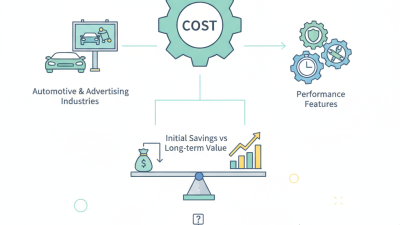
Total Cost of Ownership Software license, integration, training, support, updates, hardware requirements, and recurring costs. A cost breakdown covering the initial purchase and the expected renewal or maintenance period. Compare quotations using the same user count, machine scope, support period, and included services.

Note: This is a supplier-evaluation framework, not a ranked list or a statement about any specific supplier. Verify product capabilities, compatibility, pricing, and service commitments directly with each prospective supplier.